
Now click on the "Identity" folder tab.
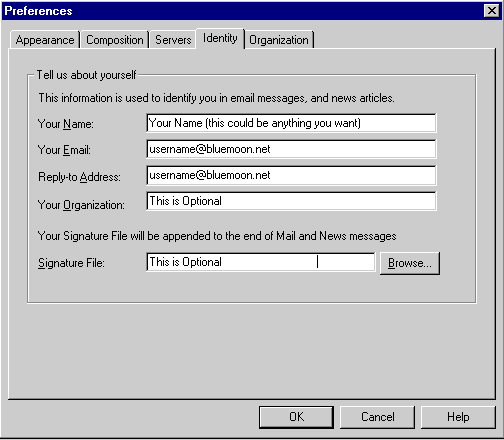
** Remember to change all occurances of "username" to YOUR username. If you log into the internet with the login name of "joe" then you MUST make sure that the "username" is replaced with "joe". (Once again, do not use the quotation marks.)

